NPU Profiler: Neuron Studio
Overview
Neuron Studio is an Integrated Development Environment (IDE) and AI toolkit designed to help the developer develop and optimize AI models on MediaTek platforms.
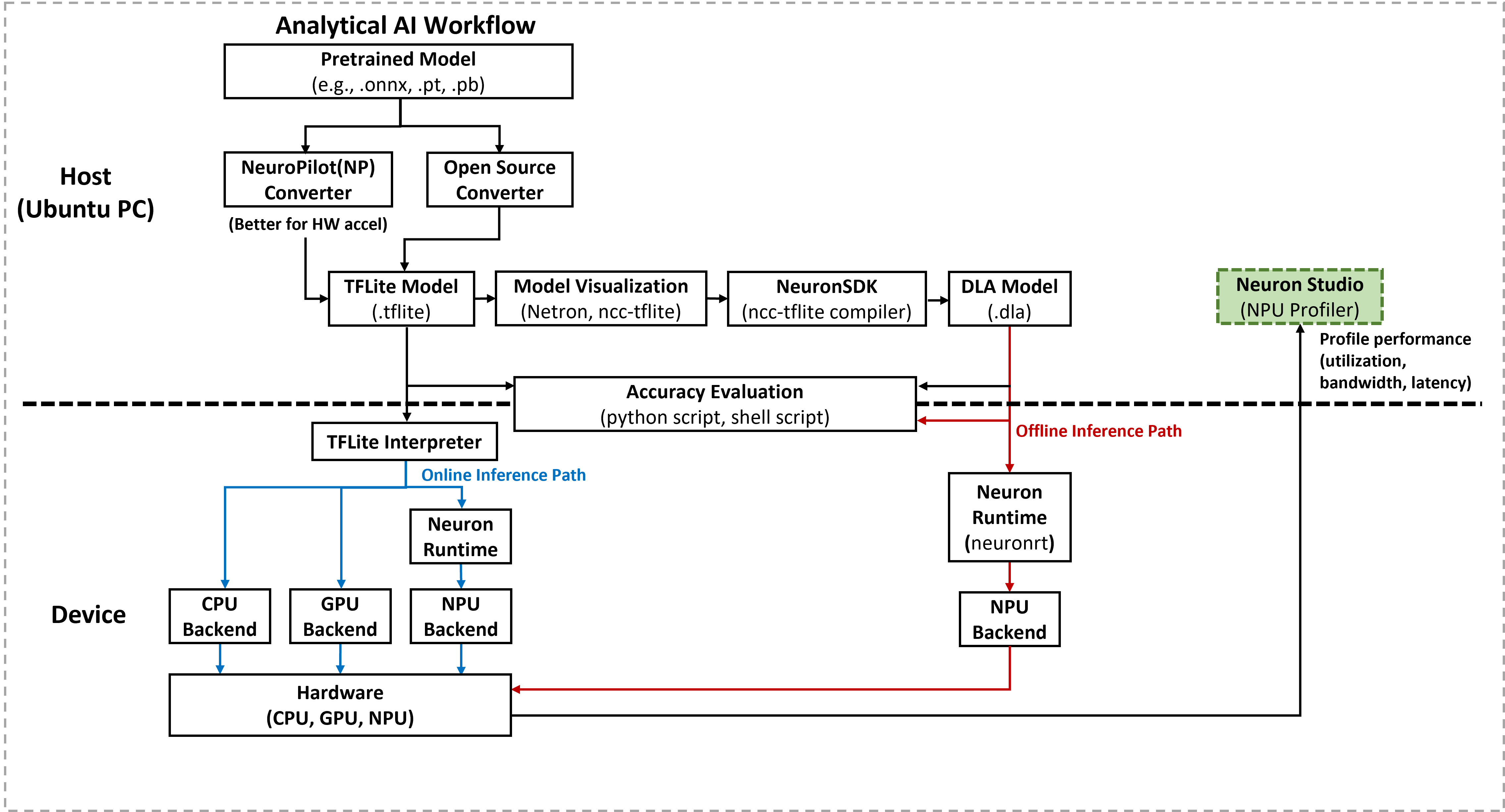
Supported Platforms and OS
Supported Platforms: Genio 720-EVK (MT8391), Genio 520-EVK (MT8371).
Supported OS: Android.
Profiling Capabilities
The tool monitors the following performance metrics to help identify bottlenecks:
NPU Frequency: Displays the operational clock speed of the hardware engines during inference.
NPU Loading: Represents the utilization percentage, indicating the workload intensity on the NPU cores.
DRAM Utilization: Monitors the memory occupancy required for model tensors and intermediate buffers.
DRAM Bandwidth: (Not supported). To obtain memory resource information, the developer must contact a MediaTek representative to request the MediaTek Evaluation Tool (MET).
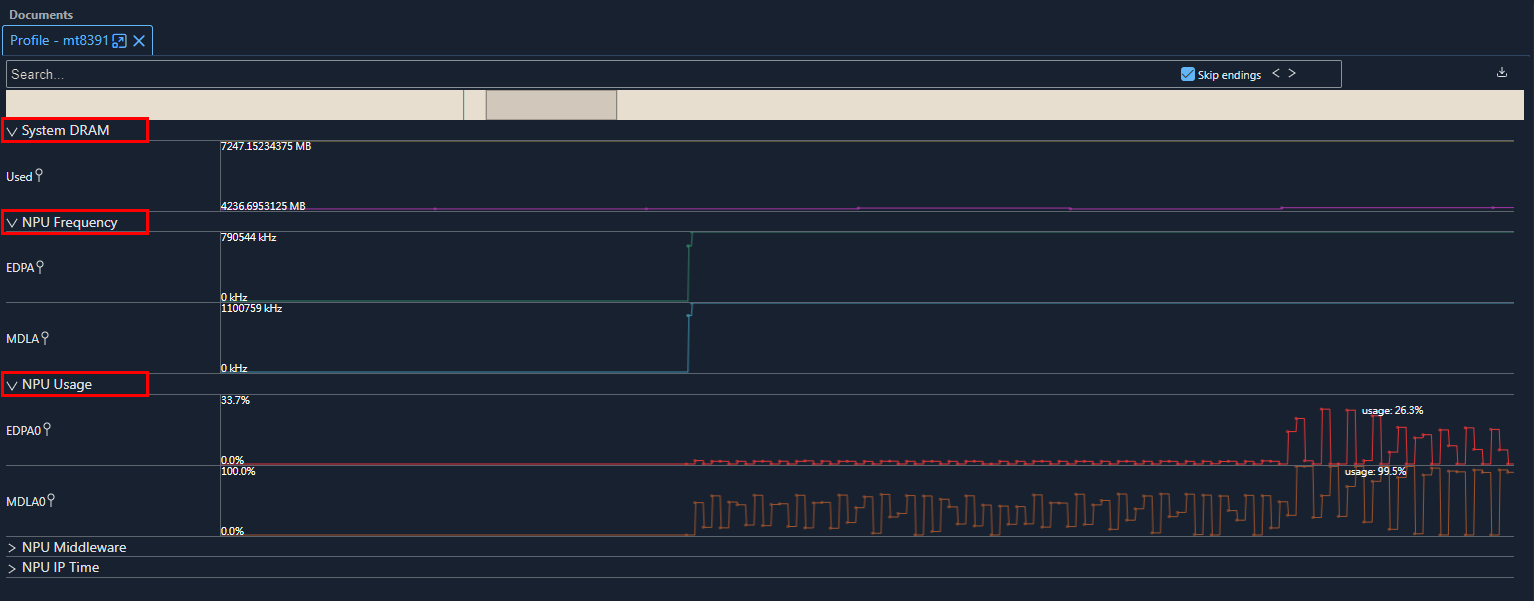
Profile Overview
Installation
Download the Android NDK. Obtain the NDK from the official Android NDK download page.
Obtain Neuron Studio. Contact the MediaTek representative to request the Neuron Studio installation package.
Configure Neuron Studio.
Execute
neuron-studio.exe.Configure the Android NDK path: Navigate to
File->Settings->Android NDK, click+New, select the NDK folder, and clickOK.Restart Neuron Studio to apply the changes.
Profiling Workflow
Connect the device. Connect the Genio platform to the host PC using a Type-C cable via the Android Debug Bridge (ADB).
Enable root access.
adb rootRecord the trace.
In the Neuron Studio interface, navigate to
Profile->Record->MediaTek Devices on ADBand select the target device (e.g.,mtxxxx).Run the target AI workload, such as a benchmark or application.
Stop the recording to display the trace and save the results as a
.jsonfile.
Analyze the results. The developer can perform analysis using the Neuron Studio interface or external tools such as Perfetto.