Visualizing AI Models
This section describes how to use the visualization tool Netron and the command-line tool ncc-tflite to inspect model structures and tensor information.
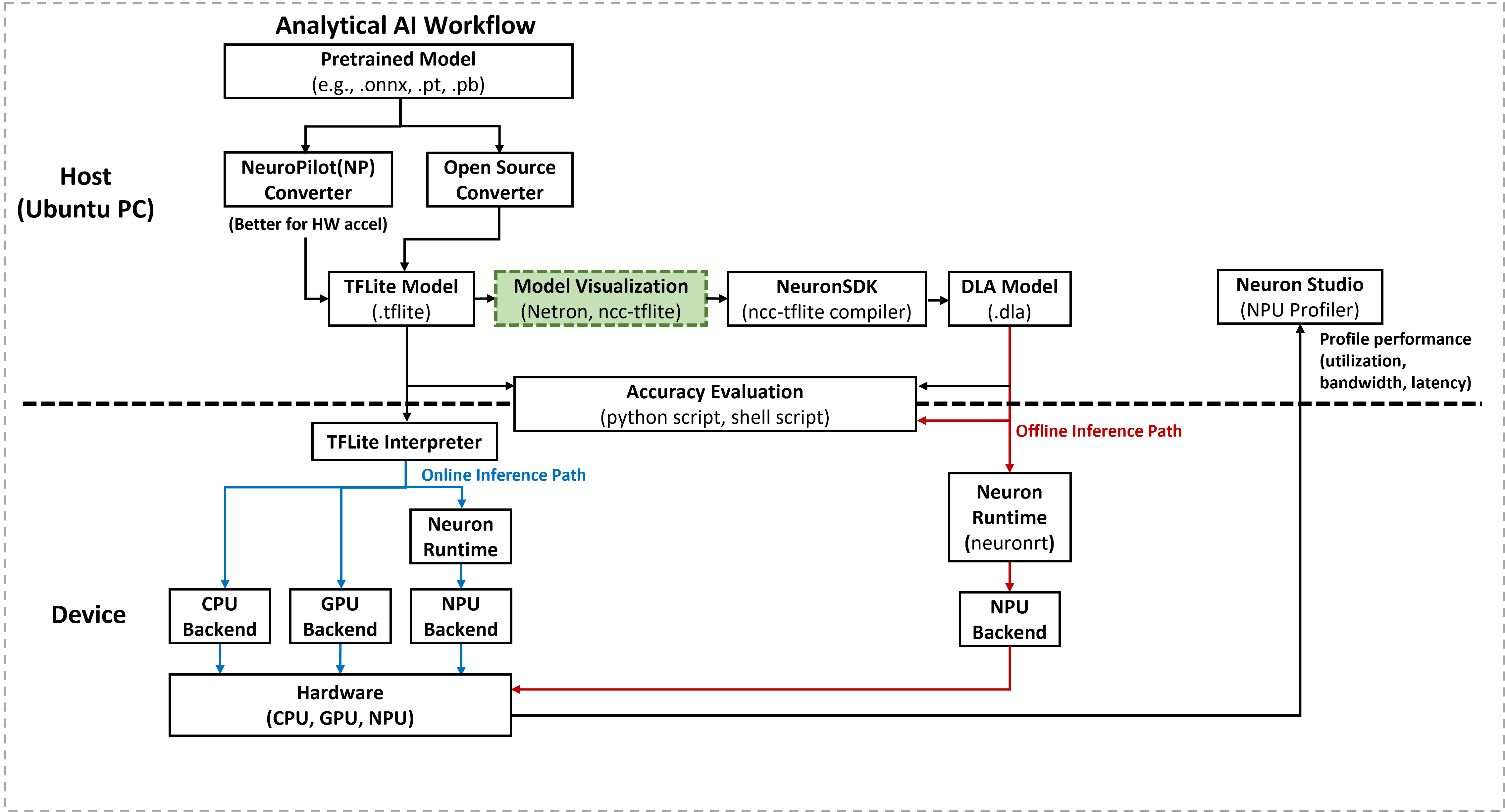
Current Neuron Runtime versions on IoT Yocto do not support embedding or reading model metadata during the Deep Learning Archive (DLA) compilation. Consequently, developers must manually verify model details to ensure correct inference implementation.
Inspecting Models with Netron
Netron provides a graphical interface to explore model architectures. The following examples use the yolov5s_int8 model, which is available on the Model Zoo-YOLOv5s.
Full Graph View
Opening a model in Netron displays the entire network graph, including layer connections and flow.
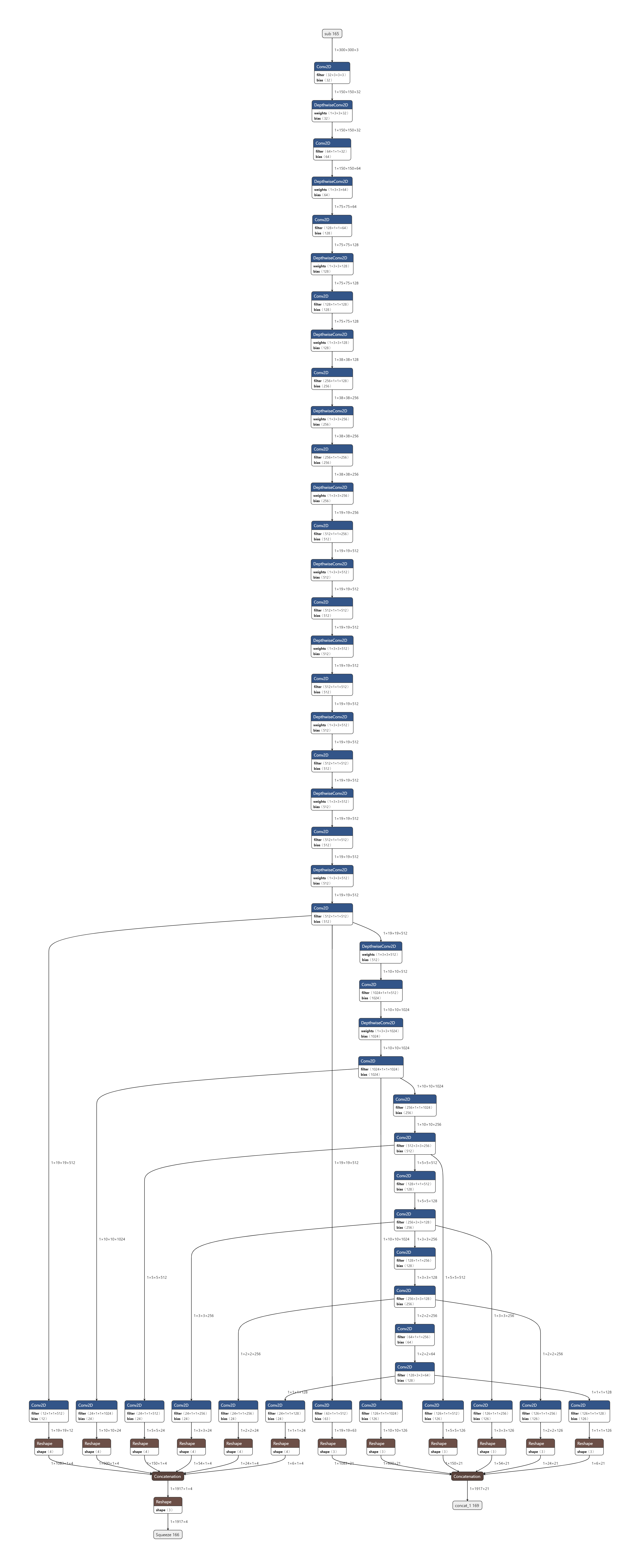
Full view of
YOLOv5sNote
Netron supports multiple frameworks, including TensorFlow Lite (TFLite), ONNX, Caffe, and Keras.
Tensor Details
Selecting a specific node or tensor reveals its properties. For example, the input tensor
Preprocessor/subshows a 3-channel image of size 300 x 300 with quantization parameters (zero_point: 128,scale: 0.0078).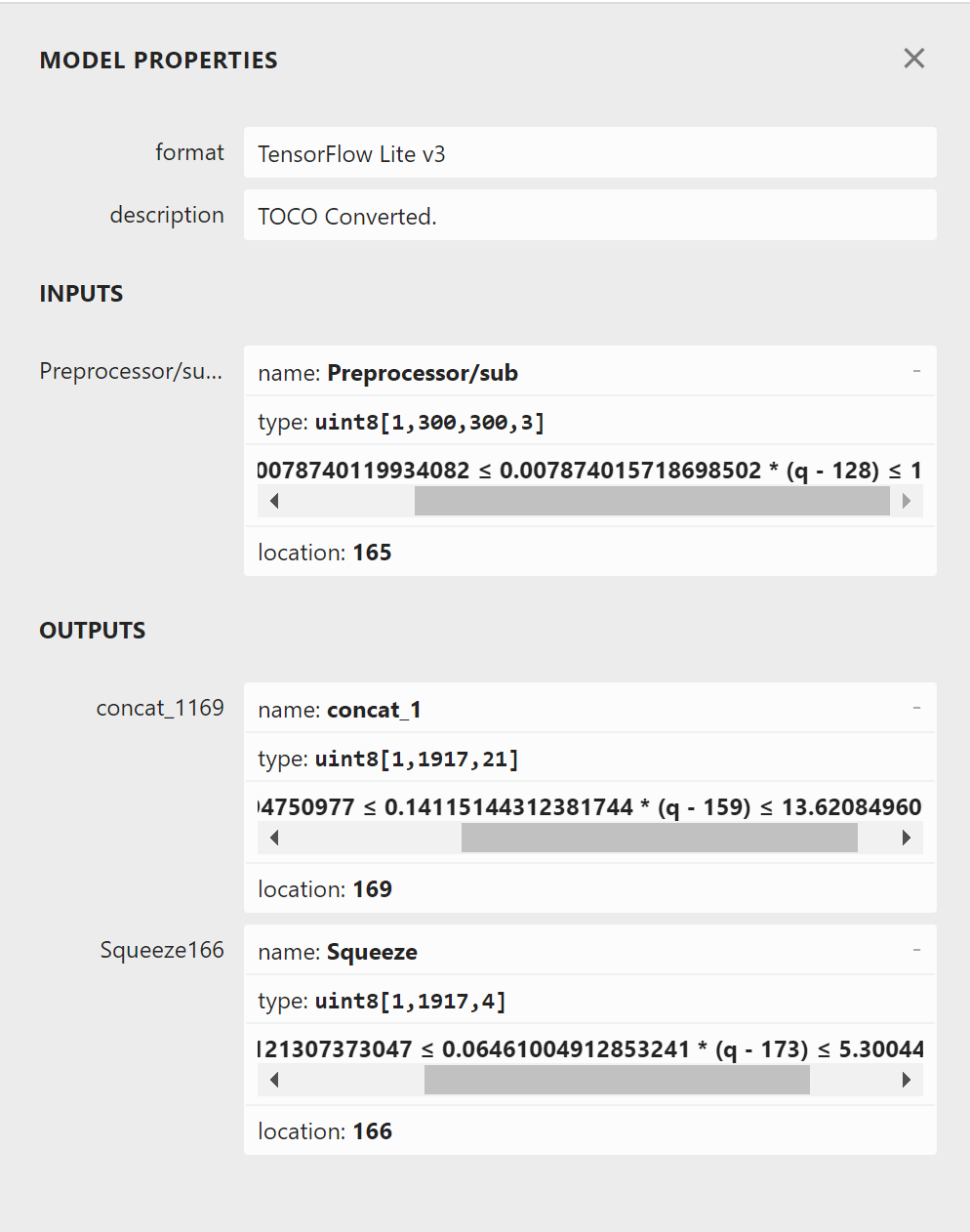
Detailed information for a specific tensor in Netron
Using ncc-tflite for Visualization
The Neuron Compiler (ncc-tflite) offers a command-line interface to extract model information directly.
List Input and Output Tensors
Developers can use the
--show-io-infoflag to view the input and output configurations of a TFLite model.$ ncc-tflite --show-io-info yolov5s_int8.tflite # of input tensors: 1 [0]: Preprocessor/sub ├ Type: kTfLiteUInt8 ├ Shape: {1,300,300,3} ├ Scale: 0.00787402 ├ ZeroPoint: 128 └ Bytes: 270000 # of output tensors: 2 [0]: concat_1 ├ Type: kTfLiteUInt8 ├ Shape: {1,1917,21} ├ Scale: 0.141151 ├ ZeroPoint: 159 └ Bytes: 40257 [1]: Squeeze ├ Type: kTfLiteUInt8 ├ Shape: {1,1917,4} ├ Scale: 0.06461 ├ ZeroPoint: 173 └ Bytes: 7668
Show All Tensors and Nodes
The
--show-tfliteflag displays the full list of internal tensors and operation nodes.$ ncc-tflite --show-tflite yolov5s_int8.tflite Tensors: [0]: BoxPredictor_0/BoxEncodingPredictor/BiasAdd ├ Type: kTfLiteUInt8 ├ Shape: {1,19,19,12} ├ Scale: 0.06461 ├ ZeroPoint: 173 └ Bytes: 4332 [1]: BoxPredictor_0/BoxEncodingPredictor/Conv2D_bias ├ Type: kTfLiteInt32 ├ Shape: {12} ├ Scale: 7.66586e-05 ├ ZeroPoint: 0 └ Bytes: 48 ...
Note
For comprehensive documentation on ncc-tflite parameters, please refer to the NeuroPilot Official Site - Neuron Compiler Section.