Model Converter
This page describes supported methods for converting YOLOv5s PyTorch models to TFLite format. It focuses on two primary conversion paths:
An open-source converter script from the YOLOv5 project.
The MediaTek MTK Converter tool, provided as part of the NeuroPilot SDK.
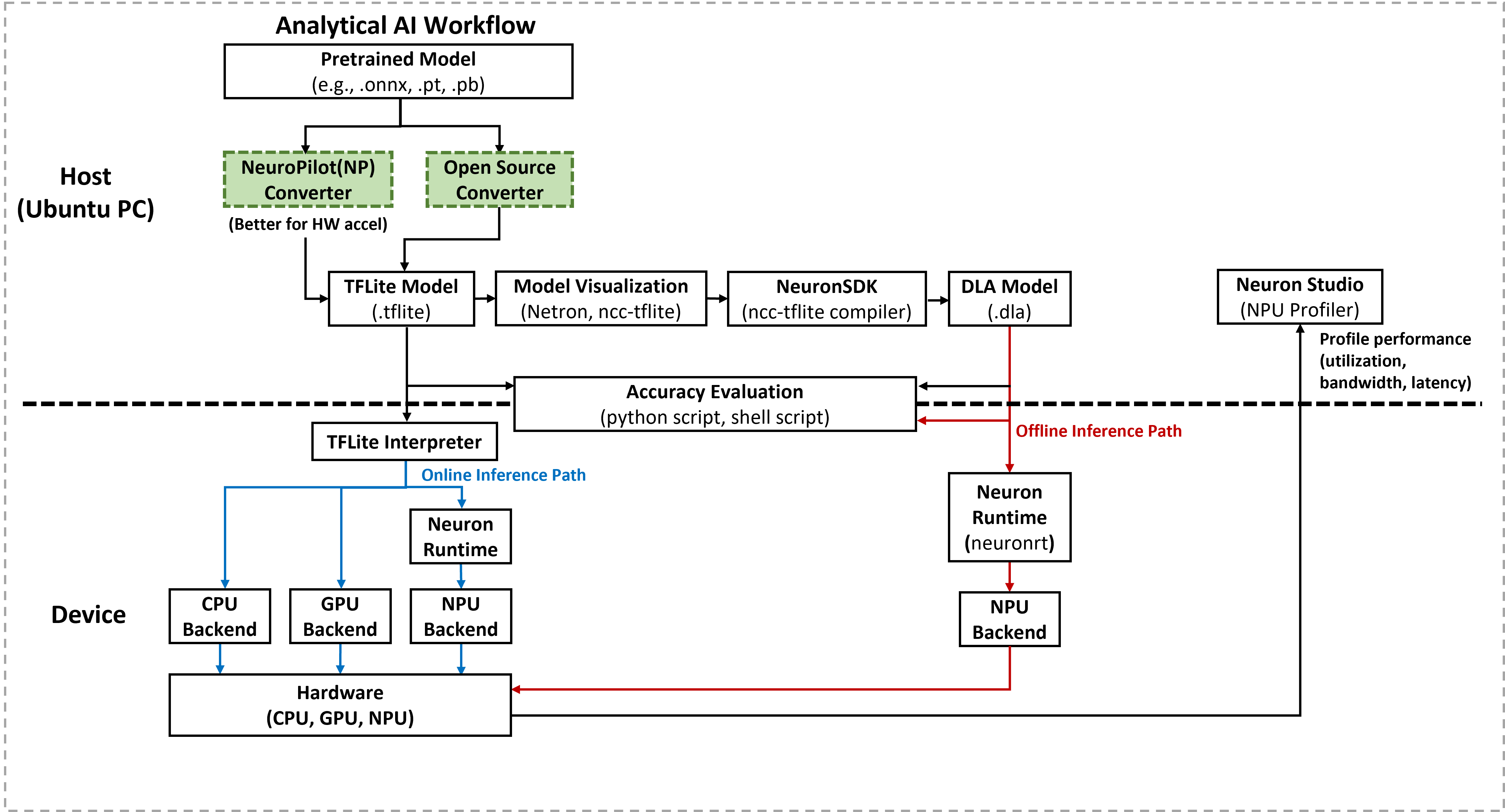
YOLOv5s Model Conversion
Conversion Methods
Open-Source Converter
Use the
export.pyscript provided in the official YOLOv5 repository. The script uses TensorFlow Lite Converter to create a converter object and export the YOLOv5 model from PyTorch format to TFLite format.Source link: YOLOv5 GitHub Repository
Note
Open-source converters may change over time. This documentation focuses on an end-to-end flow for YOLOv5s only. For other models, frameworks, or third-party converters, additional steps may be required.
NeuroPilot Converter Tool
Download the NeuroPilot SDK All-In-One bundle for the target host platform.
Install the NeuroPilot Converter tool that matches the host Python version.
Use the MTK Converter to convert the YOLOv5 model from PyTorch format to TFLite format.
Next Steps
For detailed, step-by-step instructions, refer to:
Open Source Converter for using the YOLOv5
export.pyscript.NeuroPilot Converter Tool for using the MTK Converter.